
Table des matières
The thumbnail view is a visual representation of all the athletes identified in your album. It can be accessed from “My Athletes” → “By Thumbnails”.
What you see #
Each sticker represents a unique athlete detected in the album and displays:
- A thumbnail of the detected face — the reference photo used by the algorithm to group all photos of this athlete
- The associated bib number, if identified
- The athlete's first and last name, if provided
The different states of a thumbnail #
- Vignette with race number and name — fully identified athlete, contact details provided
- Vignette with race number only — race number detected but contact details not provided
- Thumbnail without bib number or name — face detected only, athlete not yet identified — typical of algorithms No bib number before manual name assignment
What you can do #
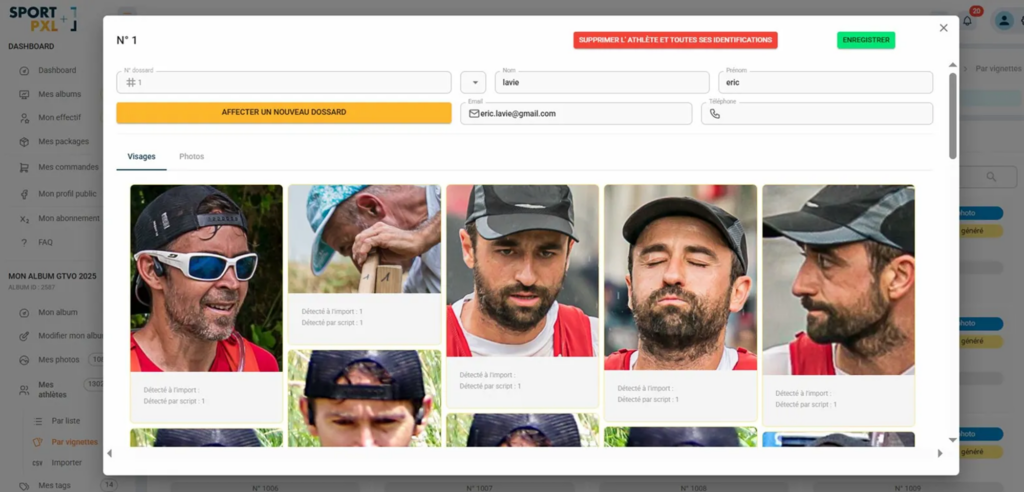
- Click on a thumbnail to open the athlete's file and assign a name, correct the bib number or view all their photos.
- Scroll through the view to browse all the athletes in the album.
💡 The thumbnail view is particularly useful after importing with the No bib number or Effective algorithm — it allows you to quickly see which athletes have been correctly grouped and which ones still need to be identified.
💡 If several thumbnails appear to correspond to the same person, it means that the algorithm has created two separate profiles for the same athlete — usually due to poor-quality photos or a change in appearance. Merge them manually from the athlete’s file.


