
Table des matières
Sportpxl allows you to export your order list in CSV format from “My orders” → “List”.
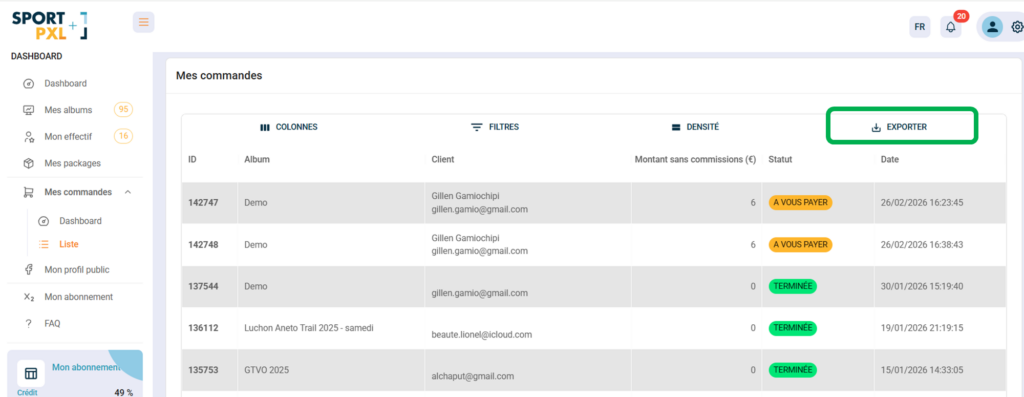
Procedure #
- From "My orders" → "List"
- If necessary, apply filters to export only a selection of orders (by status, album, date, etc.).
- Click on "Export" in the top right corner.
- The CSV file will be downloaded to your computer.
Export content #
The CSV file contains the columns visible in the list at the time of export — ID, Album, Customer, Amount excluding commissions, Status, Date. Customise the columns displayed via “Columns” before exporting if you wish to adjust the file’s content.
Convert CSV to Excel #
If you wish to work on the file in Excel, you can easily convert it using the free online tool CloudConvert: cloudconvert.com/csv-to-xls
- Upload your CSV file to CloudConvert
- Select the output format XLS or XLSX
- Start the conversion and download the Excel file
💡 Exporting is particularly useful for your end-of-season accounting, or for sharing a sales summary with an event organiser.


