
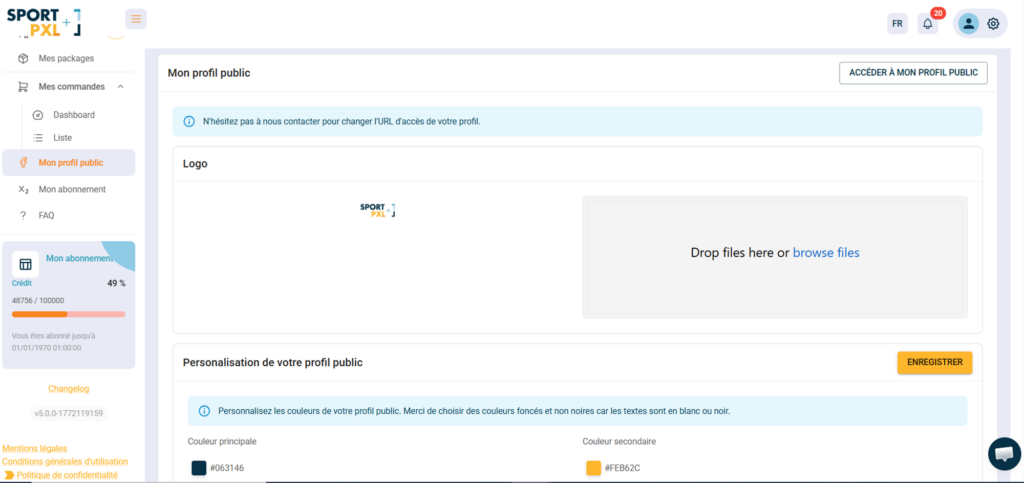
Your public profile is the page visible to your customers and participants when they access your albums. You can customise it from “My public profile”.
Access your public profile #
From “My public profile”, click on “Access my public profile” to view your page as it appears to your visitors.
💡 You can request Sportpxl to customise the URL for accessing your profile by contacting contact@sportpxl.com.
Your logo #
Upload your logo from the ‘Logo’ drop zone — it will appear on your public profile and albums. Drop the file or click ‘Browse files’ to select it from your computer.
Colour customisation #
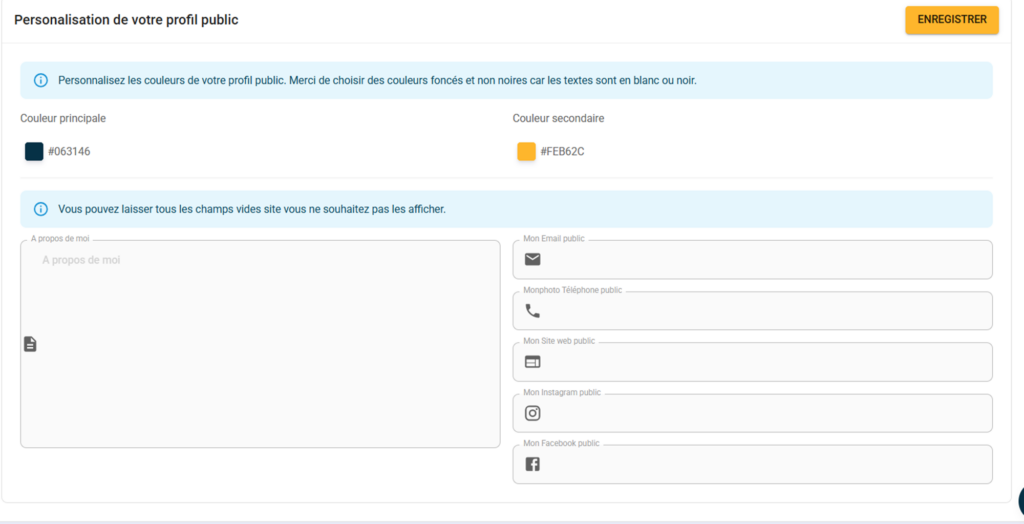
Choose the colours for your public profile to customise it to your liking:
- Main colour — the dominant colour of your profile (backgrounds, buttons, etc.)
- Secondary colour — accent colour (highlighting elements)
💡 Choose dark colours rather than black — as text is displayed in white or black, colours that are too light or too close to white would make reading difficult.
Your public information #
Enter the information you wish to display on your public profile — leave blank any fields you do not wish to display:
- About me — a brief introduction to your photography business
- Public email — your contact address visible to your customers
- Public telephone
- Public website
- Public Instagram
- public Facebook
Click on “Save” to confirm your changes.


