Table des matières
Sportpxl allows you to delete photos individually from the photo file, or in batches from the “My photos” view.
⚠️ Deletion is permanent. Deleted photos cannot be recovered.
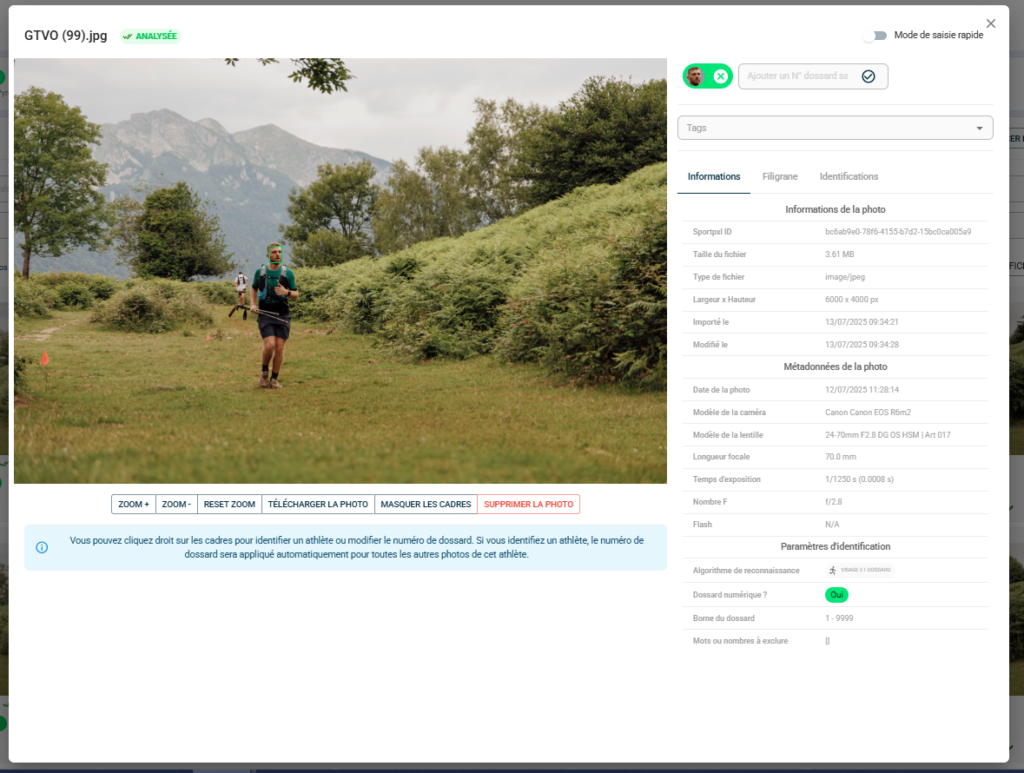
Delete an individual photograph #
- From "My photos", click on the relevant photo to open its file.
- At the bottom of the photo, click on 'Delete photo'.
- Confirm deletion
Delete a batch of photos #
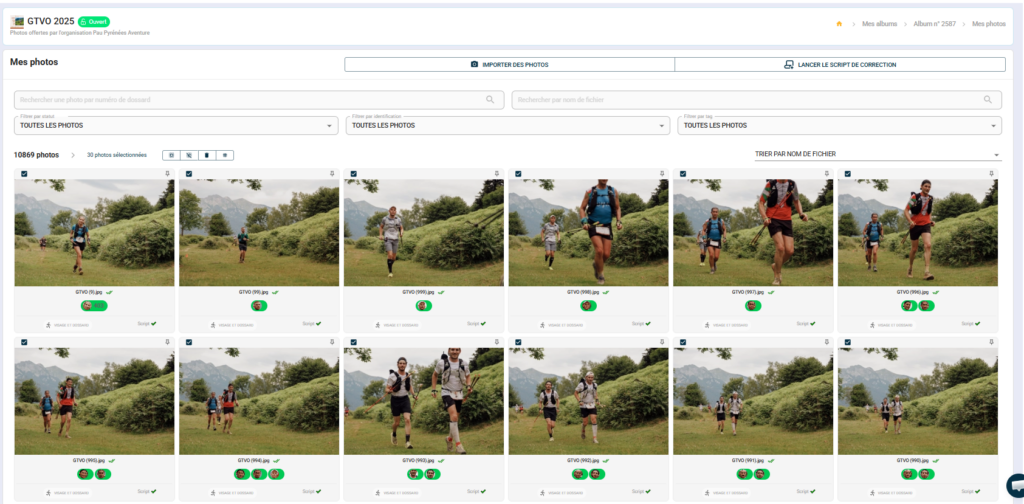
Batch deletion is performed page by page from the “My Photos” view.
- From "My photos", use filters if necessary to isolate the photos you want to delete (by tag, status, bib number, etc.).
- At the top of the gallery, use the selection icons to select all photos on the page or refine your selection manually.
- Once you have made your selection, click on the delete icon in the action bar.
- Confirm deletion
- Go to the next page and repeat the operation if necessary.
- If you wish to delete a large batch of photos, please do not hesitate to contact us: contact@sportpxl.com
💡 To delete all photos from a specific bib number, first search for that bib number in the search bar — all its photos will be displayed. Select them and then delete them all at once. The same logic applies to tags or identification statuses.