
Table des matières
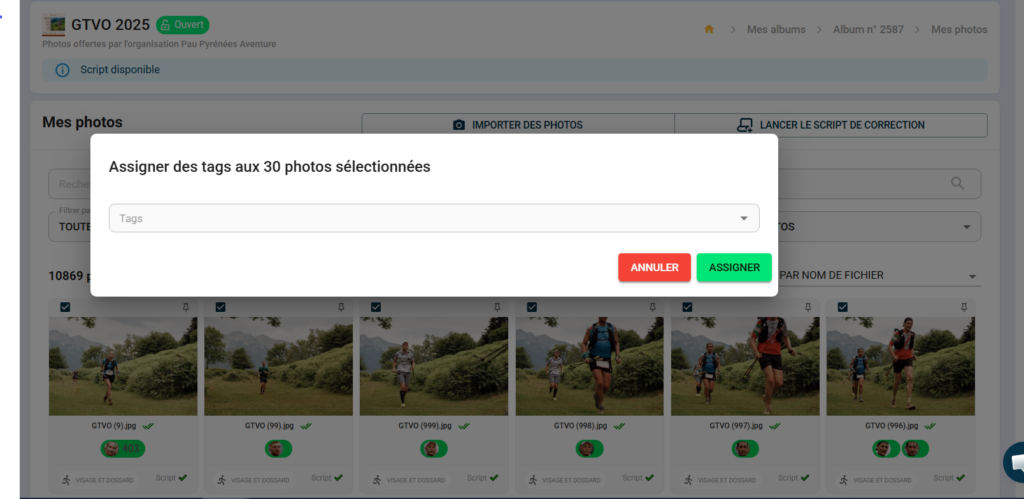
If you forgot to add a tag during import or want to reorganise your photos, you can assign tags to a batch of photos that have already been imported from the “My Photos” view.
Procedure #
- From "My photos", use filters if necessary to isolate the relevant photos (by import date, status, etc.).
- Select the photos from the batch using the selection icons at the top of the gallery.
- In the action bar that appears above the selection, click on the # icon.
- A window opens — "Assign tags to the X selected photos"
- Click on the Tags field and enter or select the tag(s) to assign.
- Click on "Assign" to confirm.
Tags are immediately applied to all selected photos.
⚠️ This action is performed page by page — if your batch spans multiple pages, repeat the operation on each page.
💡 Existing tags on the album appear as suggestions in the drop-down menu — reuse them to maintain consistent naming conventions throughout the album.


