Table des matières
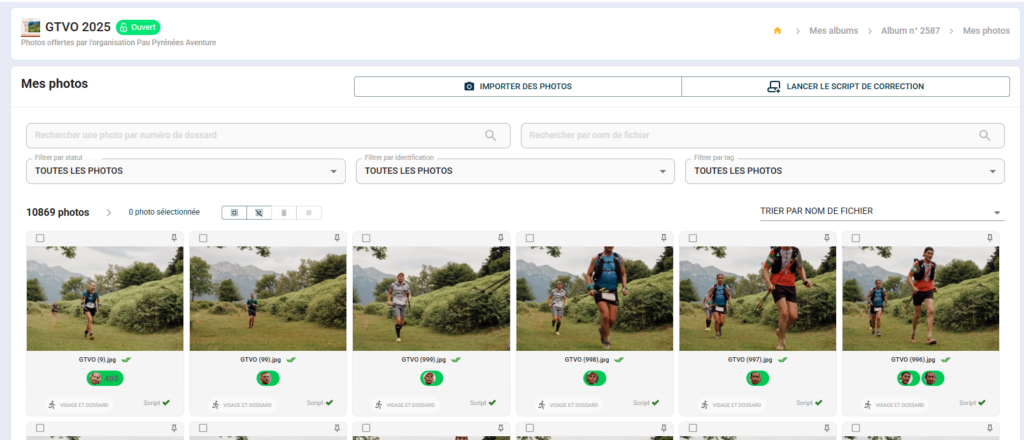
From your administrator area, the search bar in the “My photos” view allows you to quickly find a photo or batch of photos without having to browse through the entire gallery.
Search by file name #
Useful for finding a specific photo whose name you know from your camera (e.g. IMG_4872.jpg).
- From "My photos", click on the search bar.
- Enter the file name (partial or complete)
- The corresponding photos are displayed.
Search by athlete name #
Useful if you have imported a CSV file with the names of participants or manually entered the athletes’ details.
- Enter the participant's first name and/or surname
- Sportpxl displays all photos associated with this athlete in the album.
Search by participant number #
Useful for quickly checking photos of a specific race number, correcting an identification, or processing a request for the right to erasure.
- Enter the race number in the search bar.
- All photos in which this bib number has been identified are displayed.
💡 These searches are always performed in the context of the open album. If you manage multiple albums, ensure that you are in the correct album before performing a search.