
The No Bib Number algorithm identifies athletes solely by their faces, without relying on bib numbers. It is suitable for all sports where participants do not wear bib numbers.
💡 This article explains how the algorithm works and how to configure it. To find out when to select it during import, see the article “Steps for importing photos”.
How the algorithm works #
For each photo, Sportpxl detects the faces present and creates a unique face ID. Each distinct face detected in the album becomes an athlete, accessible from ‘My Athletes’ → ‘By thumbnail’.
Unlike the Face + Bib Number algorithm, no number is automatically assigned. You then assign a name to each identified face, either manually or via CSV import.
Tagging works in the same way: once a face is tagged, this information is automatically applied to all photos in the album where the same face appears.
Typical use cases #
- Team sports without bibs: football, rugby, basketball, handball, etc.
- Horse riding (excluding cross-country with race number)
- Martial arts, combat sports
- Corporate or association events
- Any event where the participants are known in advance but do not wear numbers.
💡 If you know your participants in advance and have a reference photo for each one, the Team algorithm is more suitable — it identifies athletes directly without any manual assignment. See the article “Facial recognition of your team”.
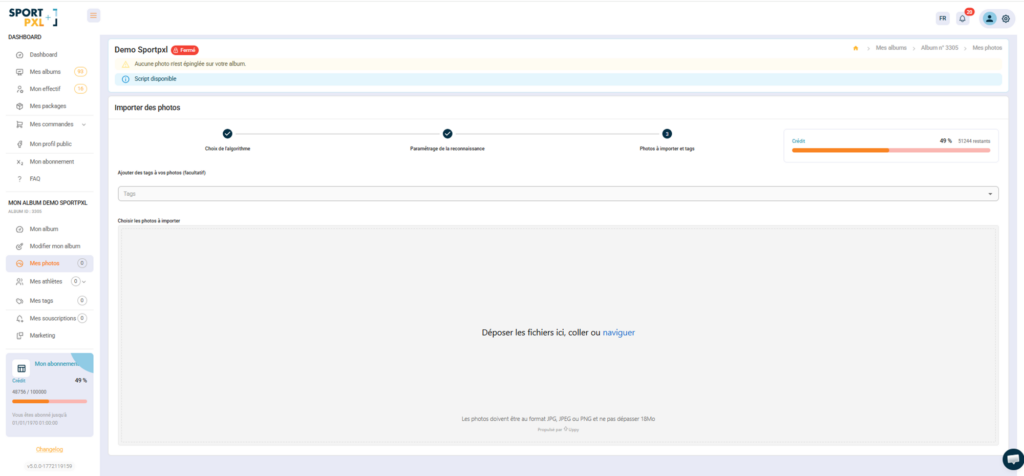
Configure the algorithm #
The No bib number algorithm does not require any bib number settings. When importing, simply select “No bib number” — Sportpxl will take care of the rest.
If you wish to combine this algorithm with a photocall to improve identification quality, see the article “Getting the most out of algorithms with photocalls”.
After importing — assign names #
- From "My athletes" → "By thumbnail", each thumbnail represents a unique face detected in the album.
- Click on a thumbnail to assign a surname, first name and/or email address to this athlete.
- The change is automatically applied to all photos of this face.
💡 For albums with a large number of participants, CSV import is much faster than manually assigning thumbnails one by one. See the article “Importing a CSV file of athlete contacts”.


