Table des matières
If a photo does not contain any identification or if a bib number has not been detected automatically, you can add it manually from the photo’s file.
Procedure #
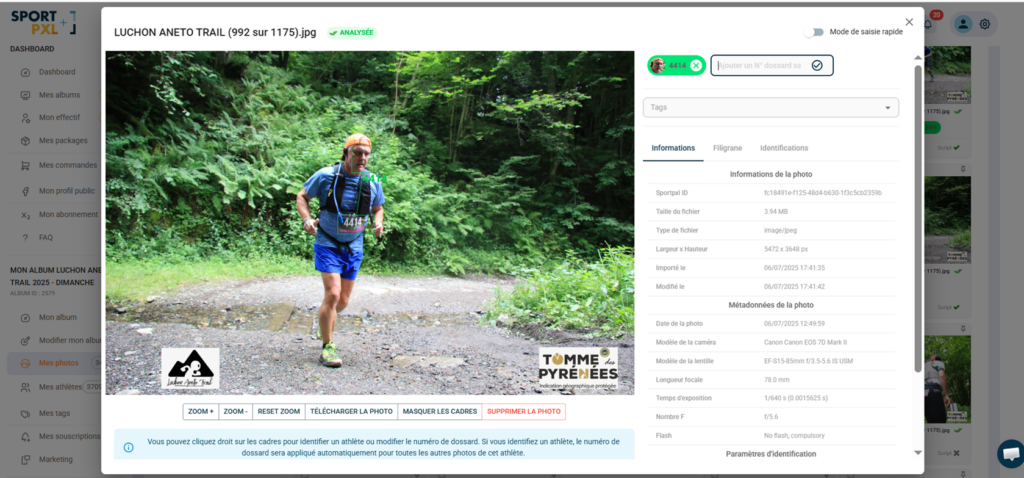
- From "My photos", click on the relevant photo to open its file.
- At the top right of the form, locate the field "Add a race number".
- Enter your race number
- Confirm by clicking on the confirmation icon.
The bib badge appears immediately at the top of the file — the photo is now associated with this athlete.
⚠️ A tag added manually via this field is not linked to a detected face. It does not propagate to other photos in the album. If you want to correct an identification with propagation, right-click on the face detection frame — see the article “Edit an identification on a photo”.