
Table des matières
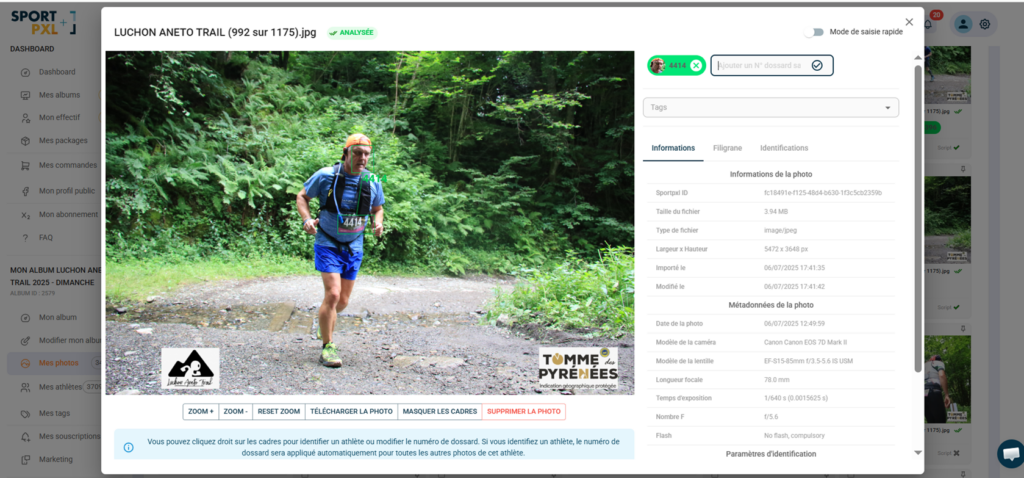
- – From "My photos", click on the relevant photo to open its file.
- – Locate the 'Tags' field under the identification badges.
- – Click on the field, enter or select the desired tag from the existing tags in the album.
- – The tag is immediately applied to the photo.
Delete a tag from a photo #
- From the photo's details page, locate the "Tags" field.
- Click on the cross on the tag you wish to delete.
- The tag is immediately removed from this photo.
💡 These actions only apply to the current photo. To tag or untag an entire batch, use multiple selection from the “My photos” view — see the article “Adding a tag to a batch of photos (after import)”.


