
Table des matières
Package templates allow you to save your pricing configurations so you can quickly reuse them on your next albums, without having to recreate everything each time.
Access templates #
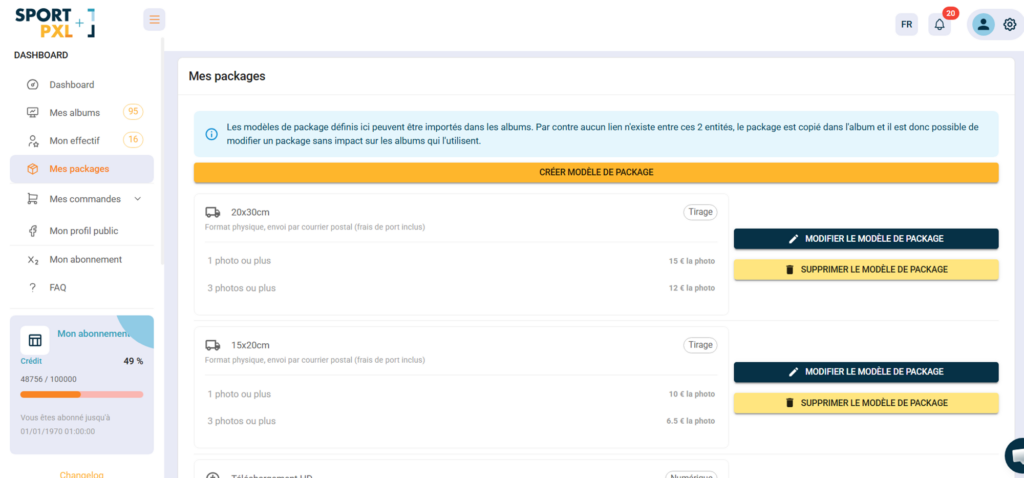
From the main menu → “My packages”.
Create a template #
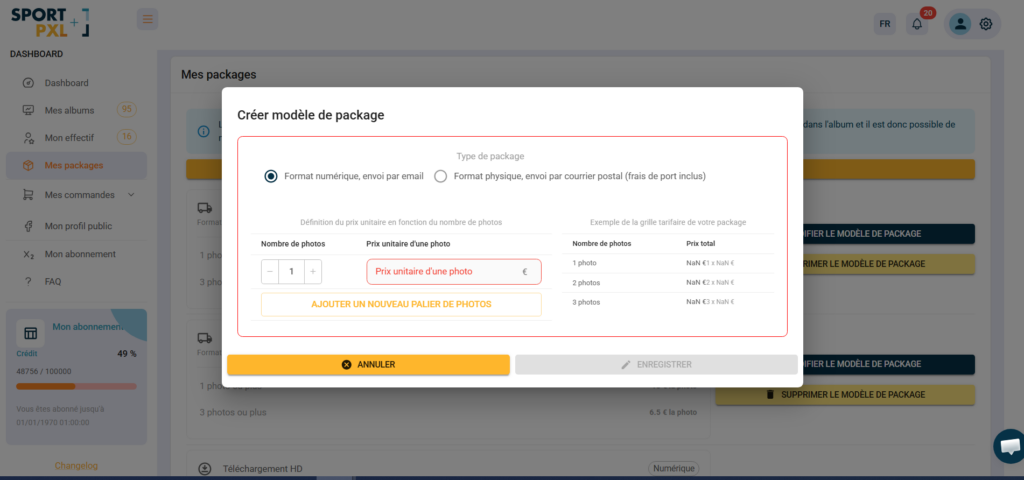
- Click on "Create package template".
- Configure the package:
- Type: Digital format or physical format (postal mail)
- Model name: e.g.
Téléchargement HD,Tirage 20x30,Pack trail - Price list: define your price tiers (number of photos/unit price)
- Save the template
The template appears in your “My Packages” list and is available for import into all your albums.
Modify or delete a template #
From “My packages”, each template has two actions:
- "Edit package template" — to update the name, type, or pricing structure
- "Delete package template" — to permanently delete the template
⚠️ Templates and packages in an album are independent. Editing or deleting a template has no impact on albums that already use it — the package was copied to the album at the time of import.


