
Table des matières
Deleting an athlete removes their profile and all their identifications in the album. The photos themselves are not deleted — they remain in the album but are no longer linked to any athlete.
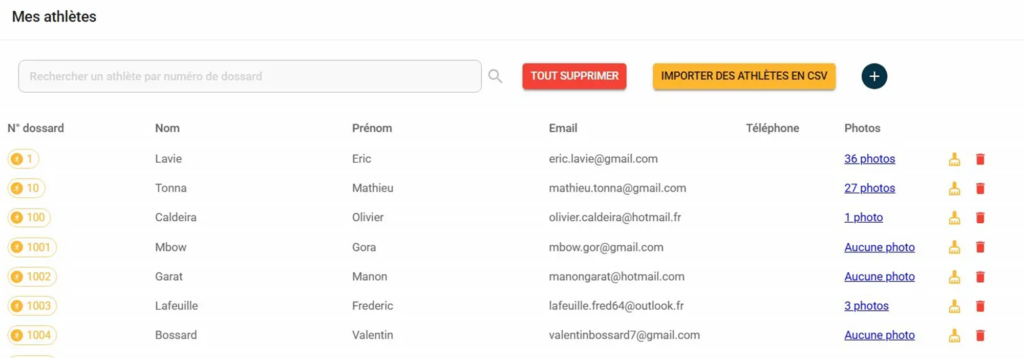
From the list #
- From "My athletes" → "By list", locate the athlete concerned.
- Click on the red bin icon at the end of the line.
- Confirm deletion
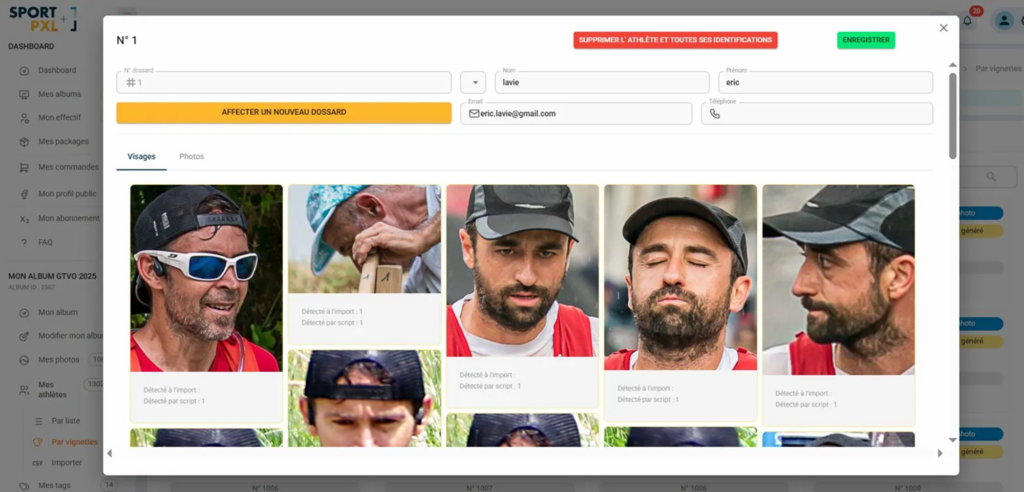
From the thumbnails #
- From "My athletes" → "By thumbnails", click on the athlete's thumbnail to open their file.
- Click on the red button "Delete athlete and all their identifications".
- Confirm deletion
⚠️ Deletion is irreversible. If you only want to delete the athlete’s contact details without affecting their identifications, use the orange icon (broom) from the list — see the article “Deleting an athlete’s contact details”.


