
From “My orders” → “List”, several tools allow you to organise and filter your orders so you can quickly find what you are looking for.
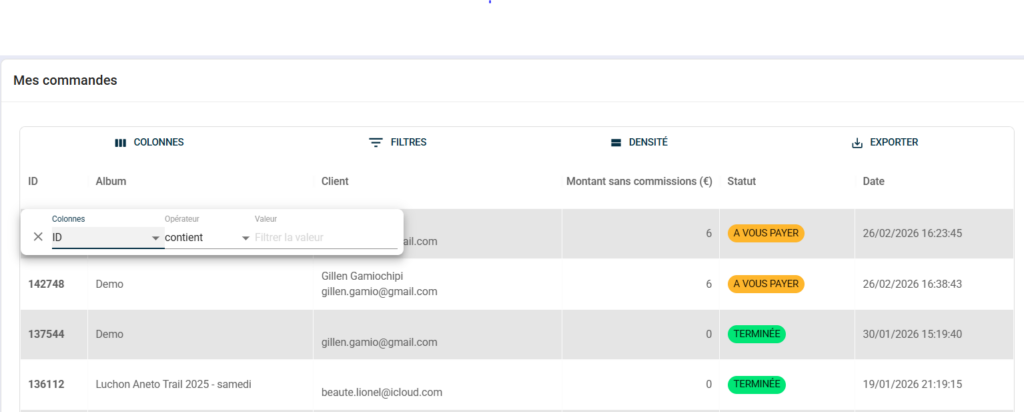
Sort by column #
Click on a column heading to sort the list according to that criterion — ID, Album, Customer, Amount, Status or Date. Click a second time to reverse the sort order.
Filter #
Click on “Filters” to display the filter panel. Set your filter in three steps:
Column — the field to which the filter applies:
- ID, Date, Status, Customer, Amount
Operator — the condition to be applied:
- Contains
- Is equal to
- Start with
- Ends with
- Is not empty
Value — the value to look for
You can add multiple filters simultaneously to refine your search — for example, filter by status “To be paid” and by album to isolate orders awaiting payment for a specific event.
Customise columns #
Click on “Columns” to show or hide certain columns as required.
Adjust density #
Click on “Density” to change the spacing between lines.


